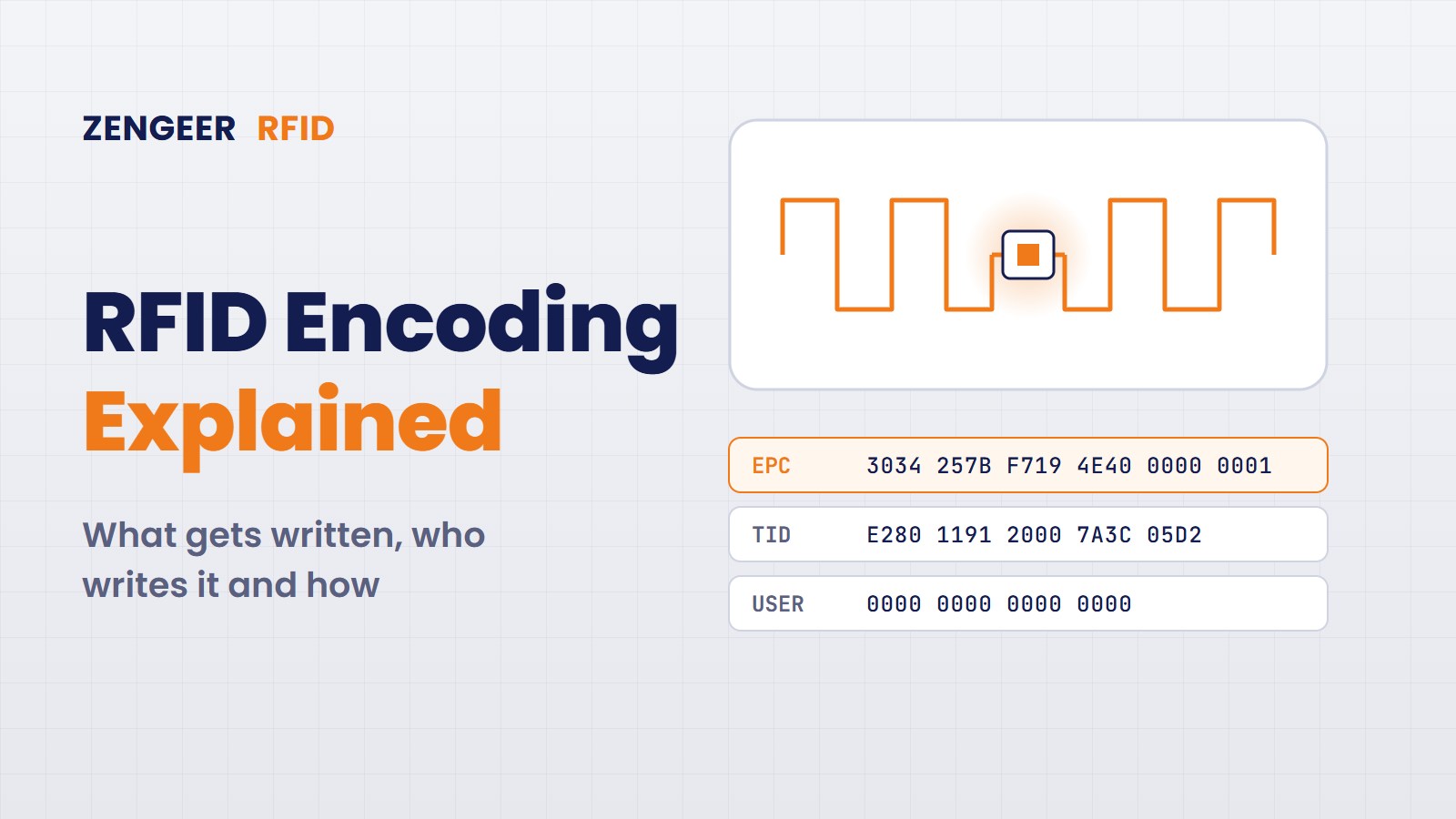
Every RFID project reaches the same question sooner or later: what exactly do we write into the tag, and who writes it? This step is called encoding. It looks simple, but it decides whether your tags work with your partners’ systems, whether stock counts are correct and whether your labels come off the printer fast enough.
In this article we explain RFID encoding for end users: what is inside the chip, which number to write, the four places where encoding happens, how an RFID printer does it, locking and passwords, serial numbers and the mistakes we see most often.
A tag is a license plate, not a hard disk. Write a short unique number on the tag. Keep all the details in your database.
What Does RFID Encoding Mean?
People say “encoding” when they mean a whole routine of five small jobs. Writing is only one of them. A good encoder does all five in less than a second:
- Find: the encoder talks to exactly one tag and reads its TID, the factory serial of the chip.
- Write: your number goes into the EPC memory, sometimes with extra user data.
- Verify: the encoder reads the number back. If it does not match, the tag is rejected.
- Lock: optional, protects the number so nobody can overwrite it later.
- Record: your system saves “this number belongs to this product”.
A tag arrives from the factory with a fixed TID that can never change. Many chips also carry a copy of the TID or a random number in the EPC memory. After encoding, the TID is still the same, but the EPC now holds your number, for example 3034F4E4E40C0E40000003E9, which any reader in the world can decode as “product 04012345123456, piece number 1001”.
Inside the Chip: Four Memory Banks
The standard behind almost every UHF tag (EPC Gen2, also ISO 18000-63) splits the chip memory into four banks. You will meet these names in every printer and reader menu.
| Bank | Name | Typical size | What it holds | Think of it as |
|---|---|---|---|---|
| 01 | EPC | 96 or 128 bits, some chips up to 496 | The number you write. Readers report it first. | The license plate |
| 10 | TID | Usually 96 bits | Chip maker, chip model and a unique serial, locked at the chip factory | The chassis number |
| 11 | User memory | 0 bits up to a few kilobits | Optional extra data such as a batch number. Many retail chips have none. | The glove box |
| 00 | Reserved | 2 × 32 bits | The access password and the kill password | The car keys |
Choosing a chip? Check three numbers in the datasheet: EPC size, user memory size and whether the chip has a unique TID serial. For most retail and logistics projects a 96 bit EPC and no user memory are enough.
Which Number Should You Write?
Pick a numbering scheme before you pick hardware. If your tags ever leave your company, to retailers, customers or partners, use the GS1 standard so everyone reads the same thing. The first two hex characters of the EPC tell the reader which scheme it is.
| Scheme | Starts with | Used for | Typical user |
|---|---|---|---|
| SGTIN-96 | 30 | Single products you sell (GTIN plus serial) | Fashion, retail, pharma |
| SSCC-96 | 31 | Pallets and shipping units | Logistics, warehouses |
| SGLN-96 | 32 | Places such as dock doors and shelves | Location markers |
| GRAI-96 | 33 | Returnable items | Crates, kegs, gas bottles, roll cages |
| GIAI-96 | 34 | Your own fixed assets | IT, tools, hospital equipment |
| Own scheme | any | Closed loop only | Laundry, internal tooling |
Rule of thumb: if the tag ever leaves your walls, use GS1. If it never does, your own scheme is fine, as long as it is written down.
Anatomy of an SGTIN-96
The SGTIN-96 is the most common EPC in the world. It is simply the barcode number of the product plus a serial number, packed into 96 bits and six fields:
| Field | Bits | Example | What it does |
|---|---|---|---|
| Header | 8 | 30 | Says “I am an SGTIN-96” |
| Filter | 3 | 1 | Lets readers skip tags fast: 1 item for sale, 2 case, 6 pallet |
| Partition | 3 | 5 | Says how long the company prefix is |
| Company prefix | 24 (for 7 digits) | 4012345 | Your number from GS1 |
| Item reference | 20 | 012345 | Your product number, same as in the barcode |
| Serial | 38 | 1001 | Makes each single piece unique, up to 274 billion |
The serial is the big difference to a barcode. A barcode says “this is a blue T-shirt, size M”. An EPC says “this is blue T-shirt number 1001”.
Who Encodes, and Where?
There are four places where a tag can get its number. The right one depends on two questions: how many tags per day, and when do you know which product the tag will sit on?
| Where | Volume | Best for | Watch out |
|---|---|---|---|
| At the tag or label supplier | Millions | Fashion price tickets, large retail programs | You must know the data weeks ahead |
| RFID label printer | Hundreds to thousands per day | Warehouses, shipping labels, smaller brands | Encoding slows printing down |
| Inline on the line | High | Tags built into the product: manufacturing, laundry, tools | Needs shielding so only one tag is written |
| Handheld or desk encoder | Tens per day | Replacing damaged tags, asset rollouts, tests | Manual work, easy to mix up items |
Important: the printed barcode and the encoded EPC must describe the same product. A printer that encodes and prints in one pass makes this almost automatic.
How an RFID Printer Encodes a Label
This is the setup most end users meet first. One label goes through about ten steps in roughly one second:
- The ERP order says which product is needed.
- The system takes the next free serial number.
- Software builds the EPC: GTIN plus serial, converted to hex.
- The print job is sent, with both the print layout and the write command.
- The printer finds the tag in the label and reads its TID.
- It writes the EPC.
- It reads the EPC back to verify.
- It locks the memory if your rules require it.
- It prints text and barcode.
- The system logs TID, EPC and order together.
In a Zebra printer the write command is a single line of the printer language. SATO, Honeywell, TSC and others use their own commands, but the idea is the same:
^XA
^RS8
^RFW,H^FD3034F4E4E40C0E40000003E9^FS
^FO50,40^A0N,36,36^FDT-Shirt Blue M^FS
^FO50,90^BEN,80,Y,N^FD401234512345^FS
^XZ
When a tag fails, the printer cannot verify it, so it prints a VOID pattern on that label, moves on and tries the same data again on the next one. Nobody can stick a dead tag on a product by mistake. A normal rate is a few failed tags per thousand. If you see more, check calibration and the label roll first.
Locking and Passwords
After writing, each memory area can be left open or protected. Your retail partner or customer often defines this in their tagging rules.
- Unlocked: anyone with a reader can overwrite it. Fine for tests and reusable tags.
- Locked: rewriting needs the access password. The most common choice.
- Permalocked: frozen forever. Used against fraud and for IDs.
- Permaunlocked: can never be locked, so nobody can hijack a shared tag.
Never leave the access password as 00000000, because a lock with the zero password protects nothing. The kill command switches a tag off permanently, for example at the checkout for privacy. It needs a kill password that is not zero. Most retailers today do not kill tags, because returns and recycling still need them.
Serial Numbers: Never Write the Same Number Twice
The hardest part of encoding is not writing. It is never writing the same number twice. Two tags with the same EPC look like one item to every system, so stock counts go wrong and nobody notices for weeks. There are three common ways to manage serials:
- Central serial server: one database hands out the next number to every printer. Simple and safe, but every printer needs a network connection.
- Ranges per site: each factory, supplier or printer gets its own block of numbers. Works offline, but someone has to manage the blocks.
- Serial from the chip: the serial is calculated from the chip’s unique TID, so no server is needed. Ask your retail partner whether they accept it first.
Six Encoding Problems We See in Real Projects
- Duplicate EPCs: two printers used the same range, or a job was printed twice. Fix: one serial source, and log every tag with its TID.
- The neighbour tag got written: the encoder reached the next label on the roll or the next product on the belt. Fix: lower write power, run the printer’s RFID calibration, shield inline stations.
- Many VOID labels after a new roll: the new label type has the inlay in a different position. Fix: recalibrate every time the label type changes.
- Wrong format: wrong filter value or prefix length. The tag works, but the partner’s system cannot read the product. Fix: test 20 tags with the partner’s own decoder before mass production.
- Dead tags from the factory: a small share of inlays never respond. Fix: always verify, and track the failure rate per roll and per supplier.
- Printing got slow: encoding, verifying and locking add time per label. Fix: measure real labels per hour in the pilot, not the datasheet speed.
What About NFC Tags?
NFC tags (HF, 13.56 MHz) are read one at a time, close up, often with a phone. Instead of a product number for a warehouse, you usually write something for a person: a web link in NDEF format. A free app or a small USB desk reader is enough to encode them. Two points matter: lock the tag as read only after writing, so nobody can replace your link with a fake one, and for brand protection use chips that add a new secret code to the link at every tap, so your server can detect copies.
Your Encoding Checklist
Write these eight decisions on one page and give it to every supplier and printer operator. It prevents most of the problems above.
- Scheme: SGTIN, SSCC, GIAI or your own.
- Filter value and prefix length: exactly as your partner expects.
- Serial source: server, ranges or chip based, and who manages it.
- Who encodes where: supplier, printer, inline or handheld, per product.
- User memory: needed at all, and if yes, which data in which format.
- Lock policy: which banks, which state, who keeps the passwords.
- Verification: read back every tag, and what happens with failures.
- Record keeping: where TID, EPC and order are stored, and for how long.
New to the terms in this article? Our RFID and RTLS terminology guide explains them, and maximizing ROI from RFID shows how to build the business case.
Setting Up RFID Encoding?
From the numbering scheme to printer setup and inline encoding stations, we help you get it right before the first million tags. Tell us about your project, free and without obligation.
Frequently Asked Questions
What is the difference between EPC and TID?
The TID is written and locked by the chip manufacturer and identifies the chip itself. The EPC is the number you write during encoding to identify the product the tag is attached to.
Can an RFID tag be encoded more than once?
Yes, as long as the EPC memory is not locked or permalocked. If it is locked with a password, you need that password to rewrite it.
Do I need GS1 numbers for RFID?
Only if your tags leave your company. For closed loop use, such as internal tools or laundry, your own numbering scheme is fine.


Leave a Reply